Burp Suite Integration for Neuron

Most web testers live in Burp.

The friction usually starts after the vulnerability is identified. Screenshots are saved. Notes are copied. The finding is rebuilt somewhere else.

The Neuron Burp Suite Extension removes that duplication.

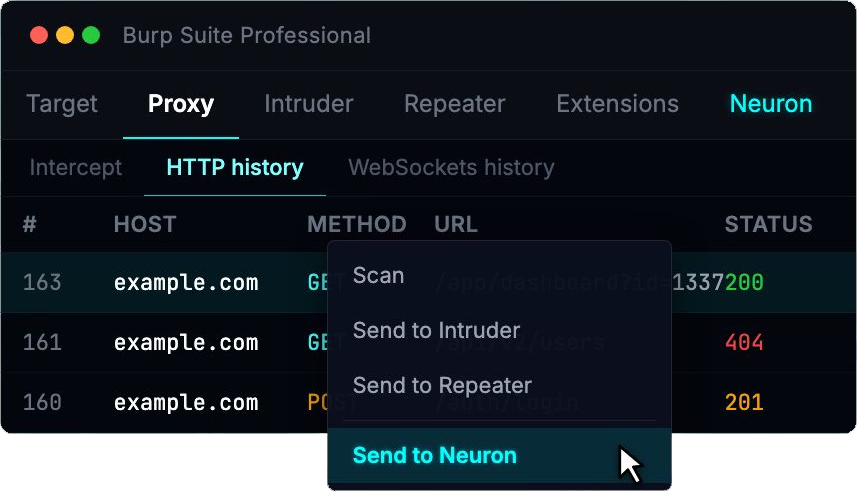
From within Burp, you can push an issue directly into Neuron. The finding is created in the correct engagement, linked to the appropriate web application and endpoint, and request/response evidence is preserved automatically.

The workflow becomes:

Proxy → Structured Finding → Report

Not:

Proxy → Notes → Screenshot folder → Word → Rebuild

Burp remains your testing engine.
Neuron becomes the system of record.

Web Applications as First-Class Assets
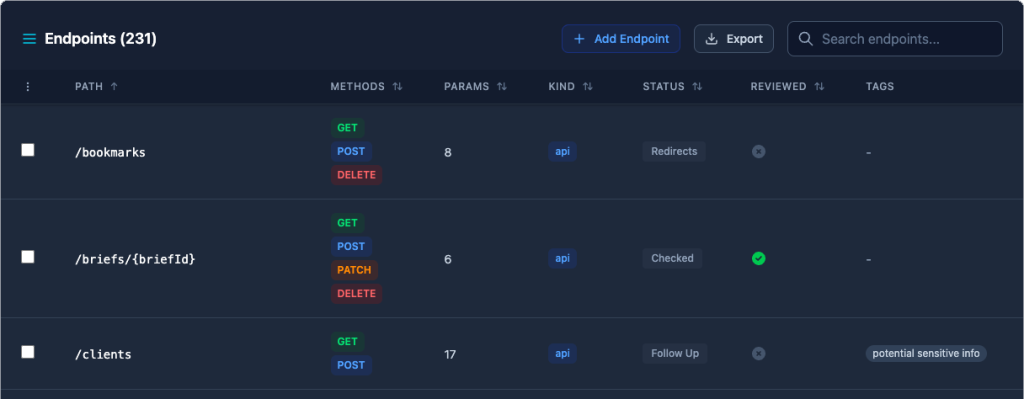
Web apps don’t map cleanly to a simple host-and-port model. They have logical boundaries, authentication flows, endpoints, parameters, APIs, and business logic that require context.

Neuron now lets you define Web Applications inside an engagement and associate:

  • Hostnames and ports
  • Endpoints
  • Parameters
  • Tags and scope metadata
  • Findings tied directly to specific endpoints

Findings are no longer detached blocks of text. They are connected to the exact surface they impact.

On larger engagements, this makes it significantly easier to answer practical questions:

  • What parts of the application were tested?
  • Which endpoints contain findings?
  • Where are we reusing issues across clients?
  • What was in scope versus out of scope?

Reporting becomes a reflection of the work performed, not a reconstruction afterward.

Why This Matters for Teams
For fieldword testers, this reduces duplicate effort.

For managers, it standardizes how web findings are written and stored.

For growing practices, it ensures that web application testing lives inside the same structured system as network and internal assessments. No separate trackers. No disconnected reporting pipelines.

Web Application Testing and the Neuron Burp Suite Extension are available now.

If you’d like to see it in action, visit https://neuron.ws/demo

Thanks for reading,
The PenTest.WS Development Team
Findings Groups, Reporting Briefs, and File Shares – Version 2.5

Version 2.5 is here, and it comes with three major features that elevate your work inside PenTest.WS — from organizing findings, to building reports, to managing files during engagements.

Findings Groups

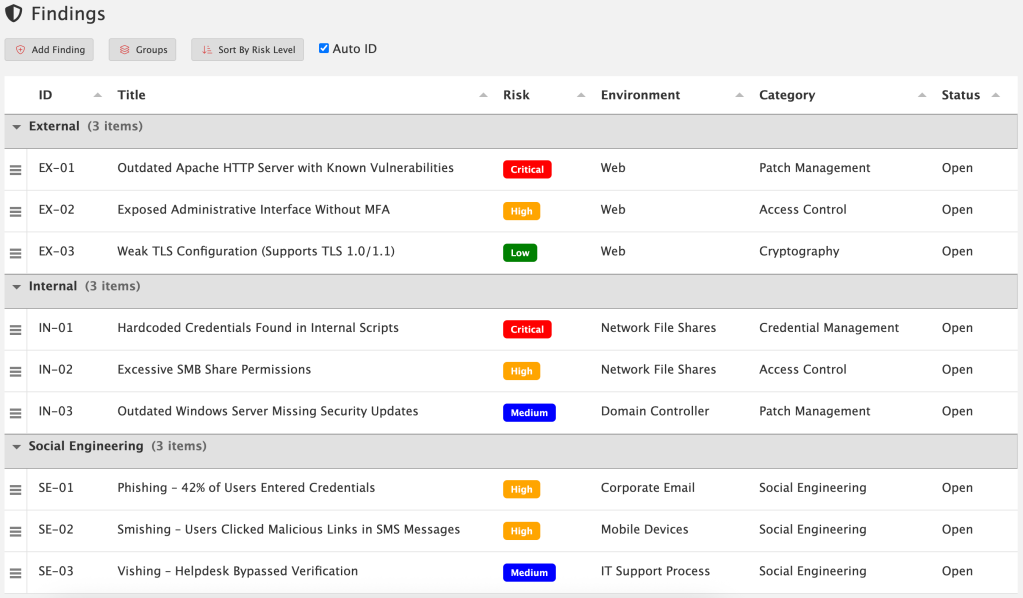
Findings Groups give you a new way to organize your findings inside an engagement. By default, findings are still just a flat list — nothing changes unless you want it to. But Pro Tier members can now create custom groups and drag findings into them.

Want to separate issues by External, Internal, and Social Engineering workstream? Easy! Create groups that match your own workflow, methodology, or reporting style. You’re in control.

These groups carry over directly into reporting, so the structure you set in your engagement automatically shows up in your exported reports. To take advantage of this capability, you’ll need to update your reporting templates with the new grouped fields. Once that’s done, your reports will reflect the same organization you defined during the engagement — resulting in cleaner structure, clearer communication, and less manual sorting later on.

For detailed documentation:

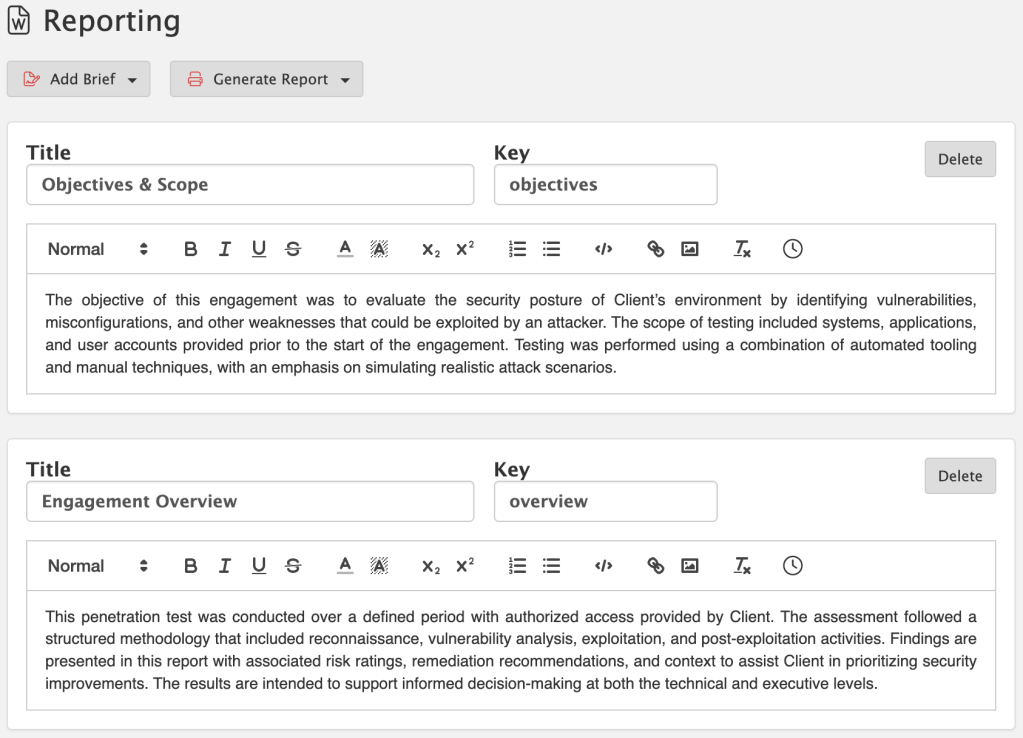
Reporting Briefs

Reports are more than just technical data — they need a narrative. That’s where Reporting Briefs come in. Briefs give you a starting point of reusable content that can be customized for each engagement. Whether it’s a methodology section, an executive summary, or a tailored explanation for C-level readers, you can maintain a library of briefs and then fine-tune them as needed.

This means no more copy-paste from old documents. Your content lives directly inside PenTest.WS, ready to be reused, edited, and adapted whenever you need it.

For detailed documentation:

File Shares (On-Premise Exclusive)

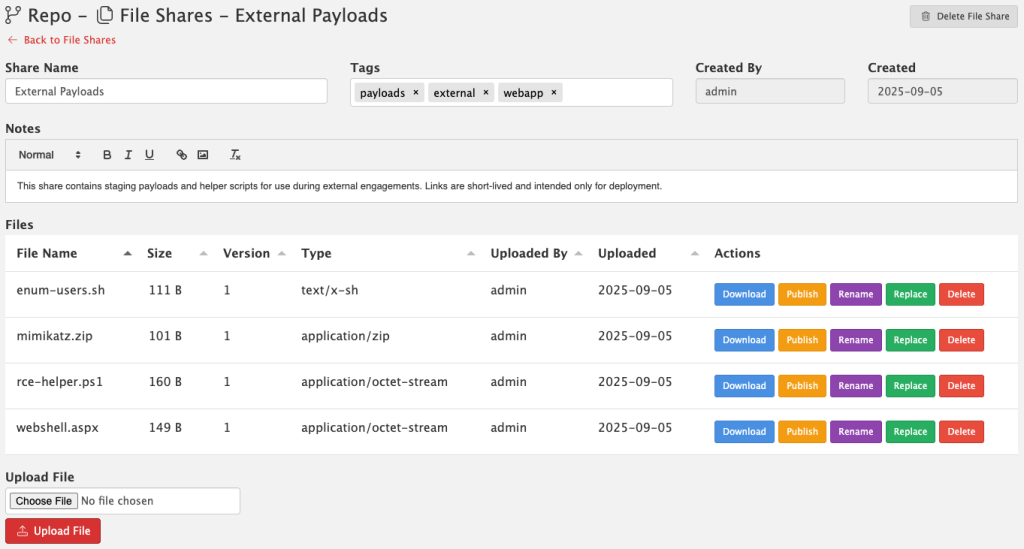
Version 2.5 also introduces File Shares, a brand new way to manage files directly inside PenTest.WS. This feature is built for pentesters who need a secure, team-friendly way to store and share files without relying on third-party services.

  • Secure – Files are stored locally on your server, never uploaded to the cloud.
  • No AV/EDR Scanning – Nothing interferes with your payloads, tools, or artifacts.
  • Versioning Built In – Track file changes over time.
  • Shared With Your Team – Files are available right inside your PenTest.WS workspace, without extra permissions or ACL headaches.

When you need to push files out to a live target during an engagement, File Shares makes it simple. You can generate a short-lived public URL that expires automatically, giving you a safe, temporary way to deploy files without setting up separate hosting. Once the link is gone, so is the exposure.

File Shares is available exclusively in the Pro Tier On-Premise edition of PenTest.WS.

For detailed documentation:

What This Means for You

Version 2.5 isn’t just about new buttons — it’s about making reporting faster, more professional, and more repeatable. With Findings Groups to structure your data, Reporting Briefs to tell the story, and File Shares to manage and deploy files, you’ll spend less time wrangling reports and infrastructure, and more time delivering results.

Ready to take your reporting to the next level? Findings Groups, Reporting Briefs, and File Shares are available now in Pro Tier. File Shares is exclusive to the On-Premise edition. If you’re on Free or Hobby Tier, upgrade today and unlock these new tools built for professional engagements: https://store.pentest.ws/

Thanks for reading!
PenTest.WS Development Team

A New Way to Work – Version 2.4

We’re excited to drop a massive quality-of-life upgrade in version 2.4 — one that reflects how professional red teams actually operate. Here’s what’s new:

🧭 Pro Tier: Engagements Replace the Dashboard

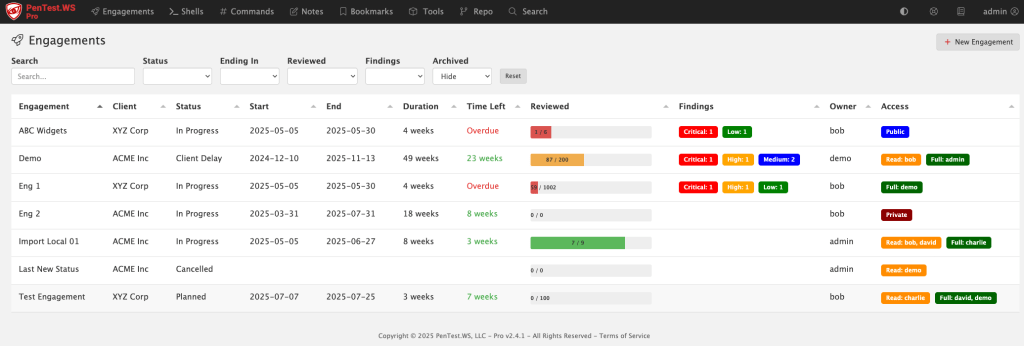
The old dashboard was built around shells and rooting boxes — but that’s not how pros manage a real engagement. We’ve replaced it with the new Engagements screen, purpose-built for tracking scope, timelines, findings, and more.

🛡️ New Global Findings View (All Tiers)

Free, Hobby, and Pro users now get access to a consolidated Findings screen. It gives you a sortable, filterable view across engagements, sorted by risk, category, or environment.

📅 Engagements Now Have Planning Metadata

Engagements now include Status, Start Date, and End Date fields — all of which are user-configurable and filterable. You can use this for planning, tracking, or just keeping your team organized.

🧪 Matrix Filters for Hosts and Ports

Tired of binary filters? The new triple-filter switch gives you full control: filter for “Yes”, filter for “No”, or don’t filter at all. It’s more intuitive, especially when tracking host review status and port exposure.

💻 Pro On-Premise – HTTP Log View

If you’re running Pro on-premise, you’ll now see an HTTP access log printed directly in your terminal. It’s great for troubleshooting or just keeping an eye on what’s happening under the hood.

🛠️ Admin Control Over Status Field (Pro)

The new status field isn’t hardcoded — it’s company-wide and admin-configurable in the Pro Tier admin panel.

🧠 Smart CIDR Expansion

Adding hosts via CIDR just got easier. If you paste in a range (like 192.168.0.1/24), you’ll be prompted to automatically expand it into individual IPs. (IPv4 only.)

Support System Overhaul

Some support tickets were falling into the void (thanks, spam filters and silent failures). We’ve rebuilt our support system behind the scenes and are actively monitoring the system.

If you’re on Hobby or Free Tier and want access to the new Engagements screen, now’s the time to check out Pro. We’ve got more in the pipeline — stay tuned.

Thanks for reading!
PenTest.WS Development Team